
SharePoint On-Prem Support Is Ending — But SharePoint Online Isn’t the Easy Upgrade You Expect. Here’s the Better Alternative.
Support for Sharepoint Server is ending
Microsoft will end support for SharePoint Server 2016 and 2019 on 14 July 2026, forcing Australian organisations to rethink how they manage their documents, workflows, and compliance processes. Especially if SharePoint server is being used to manage controlled documents.
What does this mean for businesses using SharePoint Server for controlled documents? Here are some key implications:
- Security & compliance risk: after 14 Jul 2026 there will be no security patches, increasing exposure for regulated documents (e.g. ISO, legal, HR). This can trigger adverse audit findings or breach notifications.
- No official support or fixes: if something breaks in workflows, search, or integrations, Microsoft support won’t help.
- Feature stagnation / compatibility drift: newer Office/Microsoft 365 features and connectors will favour cloud targets; integrations and modern authentication may degrade.
Microsoft’s preferred path is clear: “Move to SharePoint Online.” But for organisations running complex, compliance-driven, or heavily customised SharePoint environments, this is not a like-for-like replacement. In fact, assuming that SharePoint Online is the natural successor can lead to:
- Unexpected migration complexity
- Loss of custom workflows and functionality
- Significant re-engineering costs
- Governance and compliance gaps
- Months of business disruption
The good news? You don’t have to force-fit a collaboration tool into a compliance platform. M-Files offers a far smarter way forward — a platform actually designed for controlled documents, regulatory environments, and metadata-driven governance, while still integrating seamlessly with Microsoft 365, Teams, Outlook, and even Microsoft Copilot.
As an Australian M-Files specialist, Innovative Content Management can help you replace SharePoint on-prem with a modern solution built for compliance, not just another file storage location.
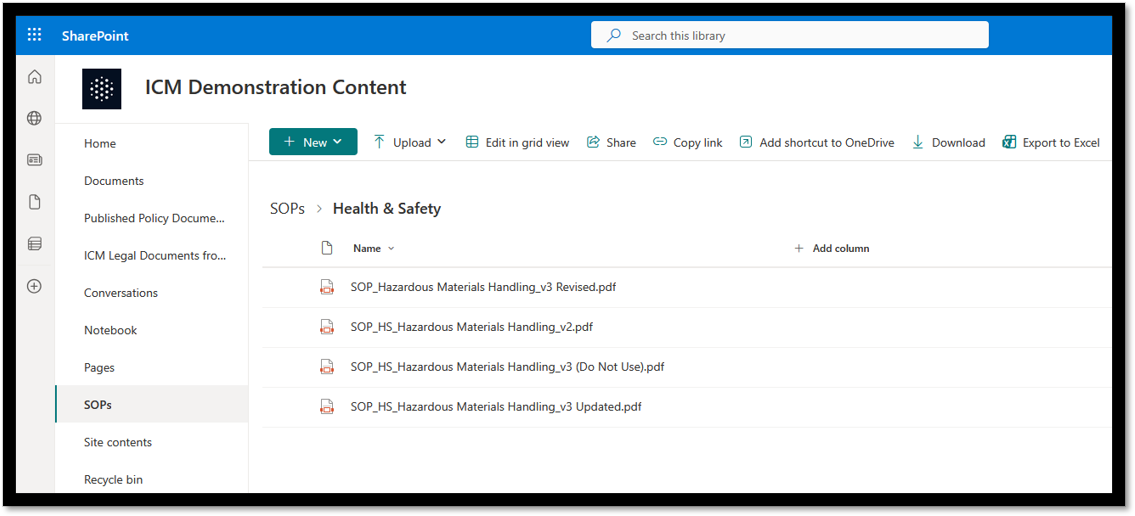
Why "Just Move to SharePoint Online" is not as simple as it sounds
Many businesses discover too late that SharePoint Online behaves very differently from SharePoint on-prem. Key features don’t translate, customisations may not migrate, and compliance capabilities often regress unless rebuilt from scratch.
Here are some risks and pitfalls that are often underestimated:
1. Your customisations probably won’t migrate cleanly (and many won’t migrate at all)
If your SharePoint on-prem environment includes:
- Custom workflows
- SharePoint Designer forms
- Event receivers
- Timer jobs
- Third-party add-ons
- Custom permissions logic
…these elements cannot be moved into SharePoint Online as-is. Most will need to be rebuilt on Power Automate or entirely new architectures, often at significant cost and likely with reduced functionality. For businesses using SharePoint for controlled documents, this typically involves:
- Rewriting approval workflows
- Re-creating versioning logic
- Rebuilding metadata rules
- Re-engineering training and acknowledgement processes
This is not a migration — it’s a redevelopment project.
2. Compliance and controlled-document management becomes harder, not easier
SharePoint Online is primarily designed as a collaboration platform, not a compliance-grade document control system.
Many organisations discover gaps such as:
- No native controlled document lifecycle
- No built-in “read and acknowledge” training workflow
- Limited audit traceability compared to regulated standards
- Greater reliance on third-party add-ons or custom Power Automate flows
- Challenges enforcing metadata across libraries and sites
If you operate under ISO or other quality frameworks, these gaps matter. Without heavy customisation, there is a good chance SharePoint Online will not match what many organisations have already built on-prem.
3. Governance becomes more complex — not less
SharePoint Online introduces:
- Site sprawl
- Permission drift
- Inconsistent metadata models
- Versioning inconsistencies
- A need for strict governance frameworks that many organisations never implement
What begins as a migration can quickly become a major information-governance program.
4. Not all content is suitable for cloud-only deployment
Certain industries may still require:
- On-prem storage
- Local sovereignty
- Private network isolation
- Restricted user access
- Offline continuity
SharePoint Online limits these controls. M-Files, in contrast, offers cloud, on-prem, and hybrid options without sacrificing capability.
5. Migration tooling still leaves large gaps
Even the best SharePoint migration tools only move:
- Files
- Metadata (if mapped correctly)
- Permissions (if they can be translated)
They may not migrate:
- Custom workflows
- SOP lifecycles
- Controlled-document rules
- Retention policies
- Publishing flows
- Training acknowledgements
This leaves organisations with a working document library … but missing the controlled-document capabilities that made SharePoint on-prem so useful.
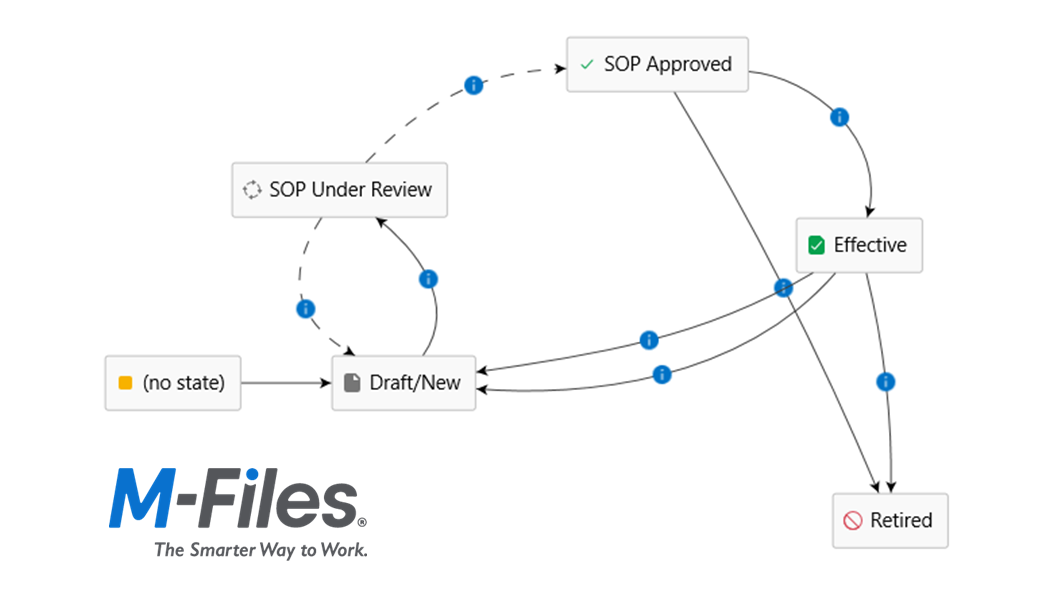
M-Files: A platform built for compliance, control, and collaboration
If SharePoint Online is a collaboration platform, M-Files is a compliance platform that also supports collaboration. M-Files replaces the need to rebuild complex SharePoint customisations by offering these features natively:
Controlled document lifecycles
Draft → Review → Approve → Publish → Retire with built-in version control.
Automated training & “read and acknowledge” assignments
An essential capability for regulated industries — no add-ons required.
Full audit trails for every action
Ideal for ISO, legal, safety, and regulatory audits.
Metadata-first structure
Easily find documents by what they are, not where they’re stored.
Consistent governance across the entire vault
No site sprawl. No folder chaos.
Supports cloud, hybrid, and on-prem
Choose the deployment model that meets your security, sovereignty, or governance needs.
Full Microsoft 365 and Copilot integration
M-Files integrates with:
- Teams
- SharePoint Online
- Outlook
- Office apps
- Azure AD / Entra
- Microsoft Copilot (uses metadata-rich content for better AI outputs)
Your users keep the Microsoft tools they know — but with a modern compliance engine beneath them. M-Files can even integrate natively with Microsoft 365, giving users a seamless experience using their familiar desktop apps.
Check out the brief demo clip below of Controlled Docs Plus, Innovative Content Management's preconfigured, ready-to-deploy controlled document management solution!
The bottom line: Don't assume SharePoint Online is your future
In most cases, SharePoint Online will require more rebuilding, more complexity, and more ongoing governance than they anticipated. If your business relies on controlled documents, compliance workflows, structured approvals, or regulated processes, SharePoint Online is rarely a like-for-like replacement.
M-Files is the more natural successor — built for compliance, secure by design, a powerful workflow engine, and fully compatible with Microsoft 365.
Talk to Innovative Content Management today, set your team up for the future
Contact the experts at Innovative Content Management today to discover how we can help your team prepare for the future with M-Files. End of support for SharePoint on-prem isn't the end of the world, it's a great opportunity to revitalise how your business information is managed and to resolve long-standing pain points.
Book a free demo with us today to see how an M-Files solution can help your organisation reduce operational risks, streamline compliance efforts, and make life easier for your end users and document administrators.
More Articles



Share