
What is a Controlled Document Management System?
Controlled Document Management Systems (CDMS)
For many organisations, controlled documents are the backbone of daily operations. Policies, procedures, standard operating procedures (SOPs), work instructions, and forms guide how work is done and how risks are managed. For some organisations, controlled documents underpin important certifications such as ISO 9001, and must be managed very carefully.
Yet surprisingly, many businesses still manage these critical documents using shared network drives, spreadsheets, email, or basic collaboration tools. While these approaches may work at a small scale, they quickly become risky as organisations grow, introduce compliance requirements, or operate in regulated environments.
This is where a Controlled Document Management System (CDMS) becomes essential.
A CDMS is a sophisticated digital platform designed to maintain the integrity of your most critical information. It acts as the "guardian" of your organisation's data, ensuring that critical quality documents are accessible to the right people while being strictly protected from unauthorised access or accidental alteration.
A CDMS ensures that documents which govern how work is performed are:
- Properly created and approved
- Kept up to date
- Accessible to the right people
- Protected from unauthorised changes
- Fully traceable for audit and compliance purposes
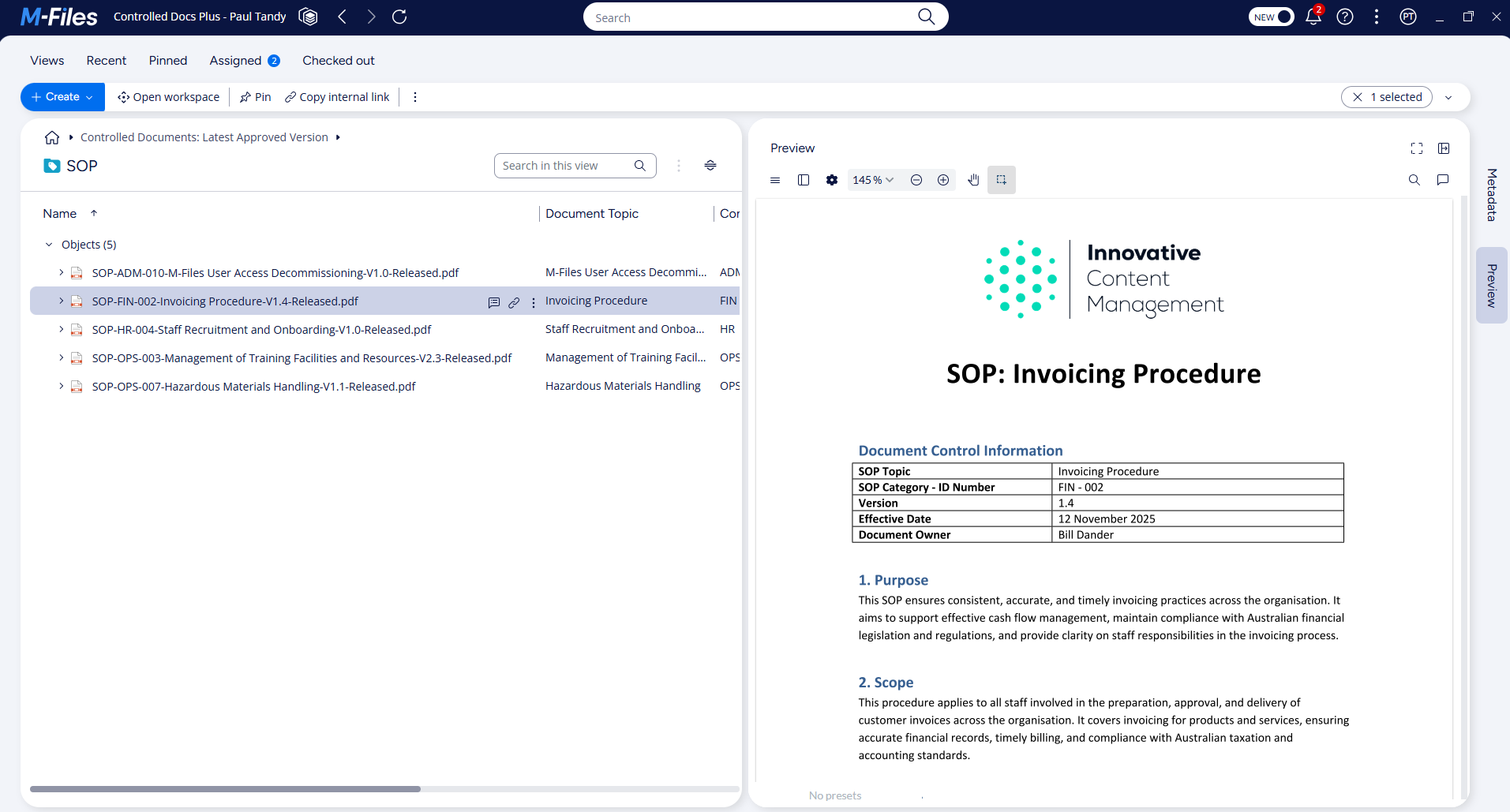
In simple terms, a CDMS ensures that only the latest approved version of a document is used, while older (superseded) versions are retained securely for reference and audit history. Superseded versions are typically available only to administrators.
Controlled document management systems are commonly used by organisations that need to comply with standards such as ISO 9001 or other quality, safety, and regulatory frameworks.
What are controlled documents?
Controlled documents are documents that must be protected from unauthorised access or authorisation.
These documents go through rigorous processes of review and approval before publication, and have tightly controlled review and update schedules. Examples of controlled documents typically include:
- Policies
- Standard operating procedures (SOPs)
- Work instructions
- Quality manuals
- Safety procedures
- Forms and templates
- Compliance and regulatory documents
These documents directly influence how employees perform tasks. If the wrong version is used, consequences can range from inefficiency and rework to serious safety incidents or legal exposure.
Why managing controlled documents is harder than it looks
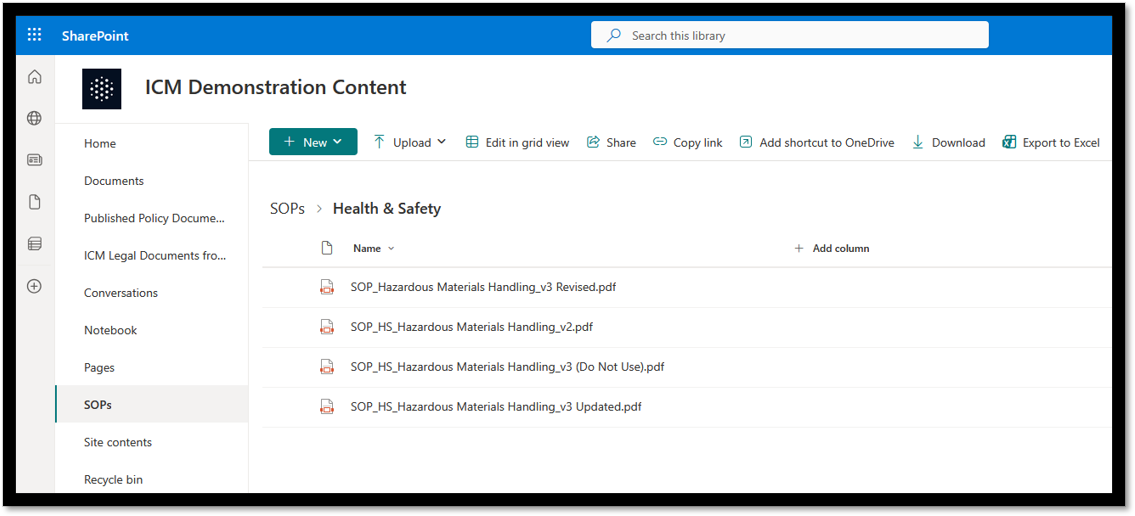
Many organisations start with simple approaches such as manual spreadsheet tracking of document reviews and approvals, and distribution via shared drives or SharePoint libraries. Over time, common problems emerge:
- Multiple versions of the same document
- Staff unsure which version is current
- Approval processes tracked manually in email
- Spreadsheets used to track reviews and approvals
- Outdated SOPs remaining in circulation
- No reliable way to prove who approved what, and when
- Difficulties tracking which staff have been trained on what version and when
These issues are not just administrative inconveniences. They create real business, compliance, and safety risks.
Key features of a robust controlled document management system
A robust CDMS should include the following capabilities:
1. Version control and single source of truth
The system must ensure that:
- Only one current version of a document is available to end users
- Previous versions are archived but not accidentally reused
- Users always access the latest approved document
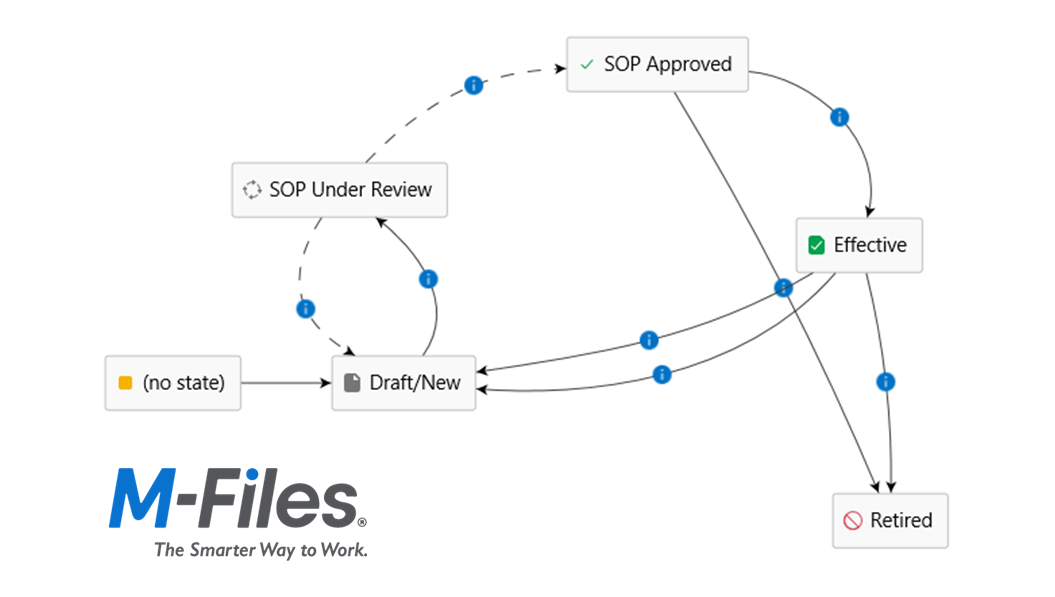
2. Structured approval workflows
Documents should follow defined workflows for:
- Drafting
- Review
- Approval
- Publication
This removes reliance on email chains and manual follow-ups. A good CDMS will allow you to customise approval workflows to your own business processes and compliance requirements.
3. Access control and security
Not everyone should be able to edit or approve documents. A CDMS enforces:
- Role-based permissions (e.g. edit access only for controlled document administrators)
- Read-only access for general users
- Controlled editing and approval rights
In some instances a CDMS may also prevent end users from downloading or printing controlled documents. Additionally, some organisations stipulate that a change request be approved before a controlled document can be edited. A quality CDMS caters for all of these requirements.
4. Audit trails and traceability
For audits and compliance reviews, organisations must be able to demonstrate:
- Who created a document
- Who reviewed and approved it
- When changes were made
- What version was in effect at a given time
A good CDMS tracks this data automatically and prevents the audit trail from being tampered with or deleted. Document version control should not be on an "opt-in" basis.
5. Training assignments and acknowledgement tracking
One of the most overlooked but critical features is training and acknowledgement management. A quality CDMS should be able to:
- Notify affected users when a new or updated document is published
- Automatically assign training assignments to affected users linked to a specific version of a controlled document
- Record who has acknowledged controlled documents and when
- Track who has read and acknowledged the document
- Provide administrators with clear compliance reports
This is particularly important for safety procedures and SOPs, where staff must be aware of changes in procedures to avoid incidents or injury.
Spreadsheet tracking and SharePoint aren't always the best choice
Spreadsheets are commonly used to track document registers, reviews, and approvals. However, they rely heavily on manual discipline and are prone to error. Common issues include:
- Document registers not kept up to date
- Little or no enforcement of approval processes
- No guarantee that users access the correct document
- High administrative overhead
SharePoint and similar platforms are powerful collaboration tools, but they are not designed specifically for controlled document management. Challenges include:
- Difficulty enforcing strict version control (admins must remember to switch version control on for each document)
- Reliance on manual governance rules
- Limited native support for training acknowledgements
- Complex configuration required to achieve compliance outcomes
- Difficulty setting up and modifying approval workflows
For organisations with audit or safety obligations, these gaps can create loopholes that auditors will identify.
Choosing a controlled document management system is not just an IT decision — it is a strategic risk management decision. Cheaper or improvised solutions may appear cost-effective initially, but they can introduce hidden risks such as:
- Failing quality or safety audits
- Inability to prove compliance
- Increased likelihood of staff following outdated SOPs
- Exposure to workplace injury claims or litigation
The cost of a non-compliance event, safety incident, or legal action often far outweighs the investment in a robust CDMS.
M-Files sets the standard for controlled document management
M-Files is an enterprise content management platform designed specifically with compliance use cases in mind. M-Files is well-regarded in the quality management community for its controlled document management and information governance capabilities.
Key advantages of M-Files include:
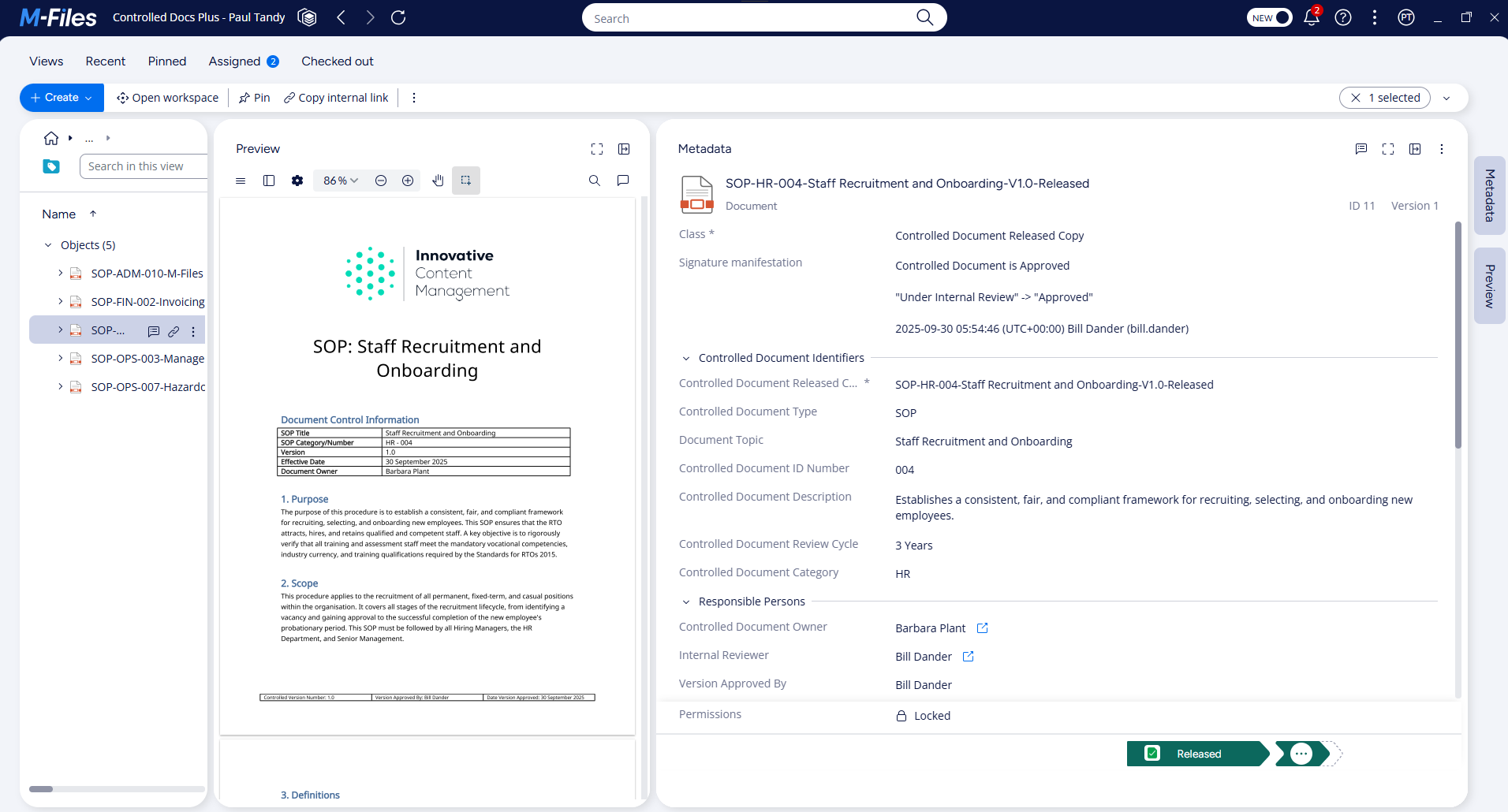
- Metadata-driven document management (no reliance on folders)
- Automatic version control with clear document status visibility
- Configurable approval workflows
- Robust, tamper-proof audit trails and traceability
- Built-in support for training assignments and acknowledgement tracking
Unlike spreadsheet-based approaches or lightly governed collaboration tools, M-Files provides system-enforced controls, reducing reliance on human discipline alone.
Talk to the controlled document management experts today
A controlled document management system plays a critical role in ensuring that organisations operate safely, consistently, and in compliance with required standards.
The team at Innovative Content Management are experienced in the design and implementation of controlled document management solutions built on M-Files. Book a free consultation today and learn how we can help you better manage your controlled documents with a purpose-built M-Files solution.
More Articles



Share